IKEA
When I joined IKEA as their product designer, I inherited iRecover—an internal mobile app that recovery teams use daily to process returned items, print discount labels, and manage inventory. The app was functional but clunky, and I could see immediately how it was slowing down our co-workers' workflow. My mission was clear: redesign the user experience to make their jobs easier and more efficient.
- Contribution
- Product design, mobile app design, UX design, UI design, prototyping, user research
- Platforms
- Android, Web
- Year
- 2024
10% Increase in co-worker satisfaction
400+ Stores using iRecover
100% Rollout in IKEA stores
€122M Priced in iRecover in 2024
Understanding the iRecover App
When I first started working on iRecover, I quickly realized the biggest pain point: while recovery tasks had already been consolidated into a single app, the user experience was clunky and unintuitive. Co-workers had to navigate confusing screens and convoluted flows, making everyday tasks more difficult than necessary. My goal was to completely restructure the UX and improve the UI. Making the app intuitive, efficient, and easy for our teams to use.
App restructure
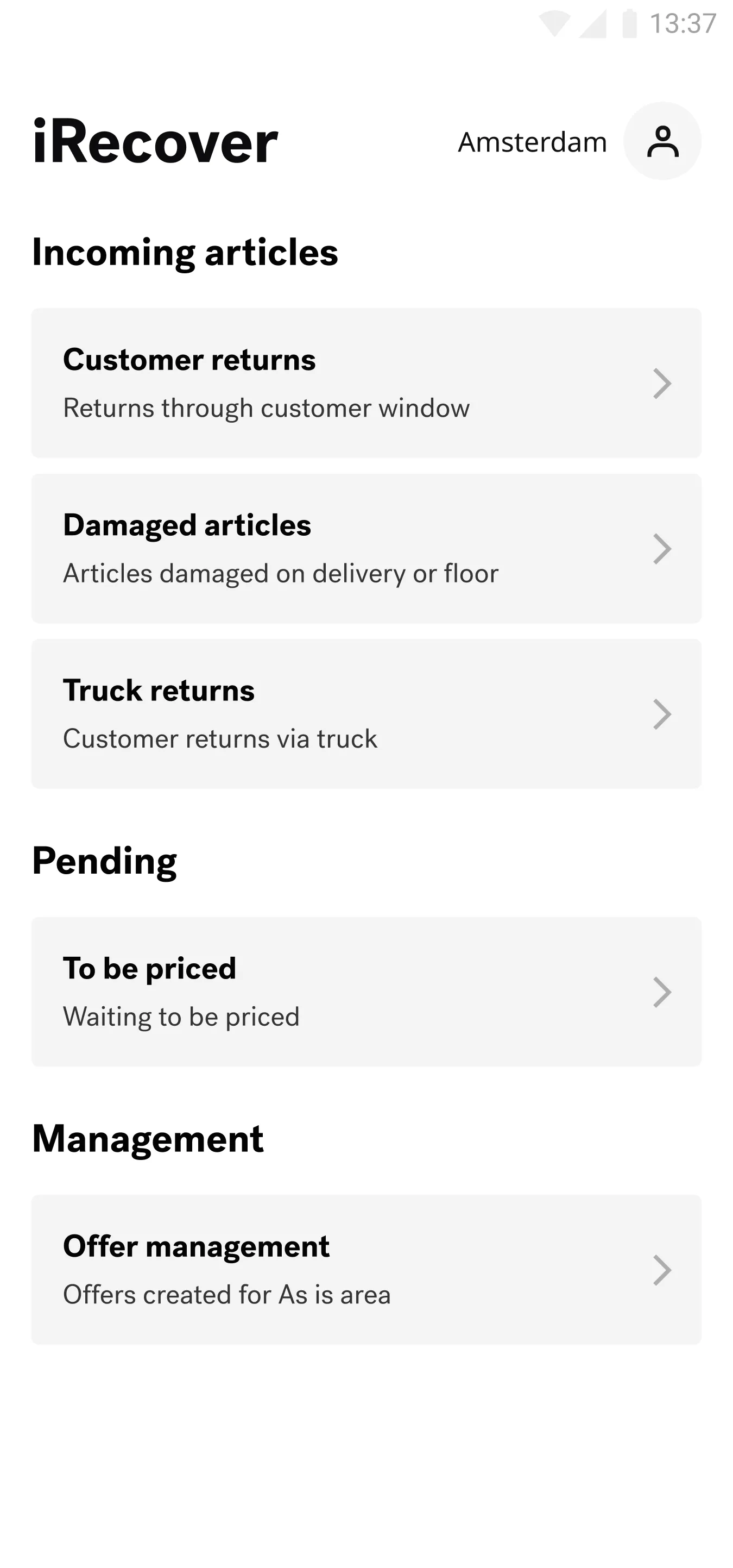
In iRecover's early days, the app was structured around inflow categories. The home screen featured separate lists for customer returns, damaged items, and truck returns. However, this led to excessive navigation and unnecessary clicks, slowing down co-workers.
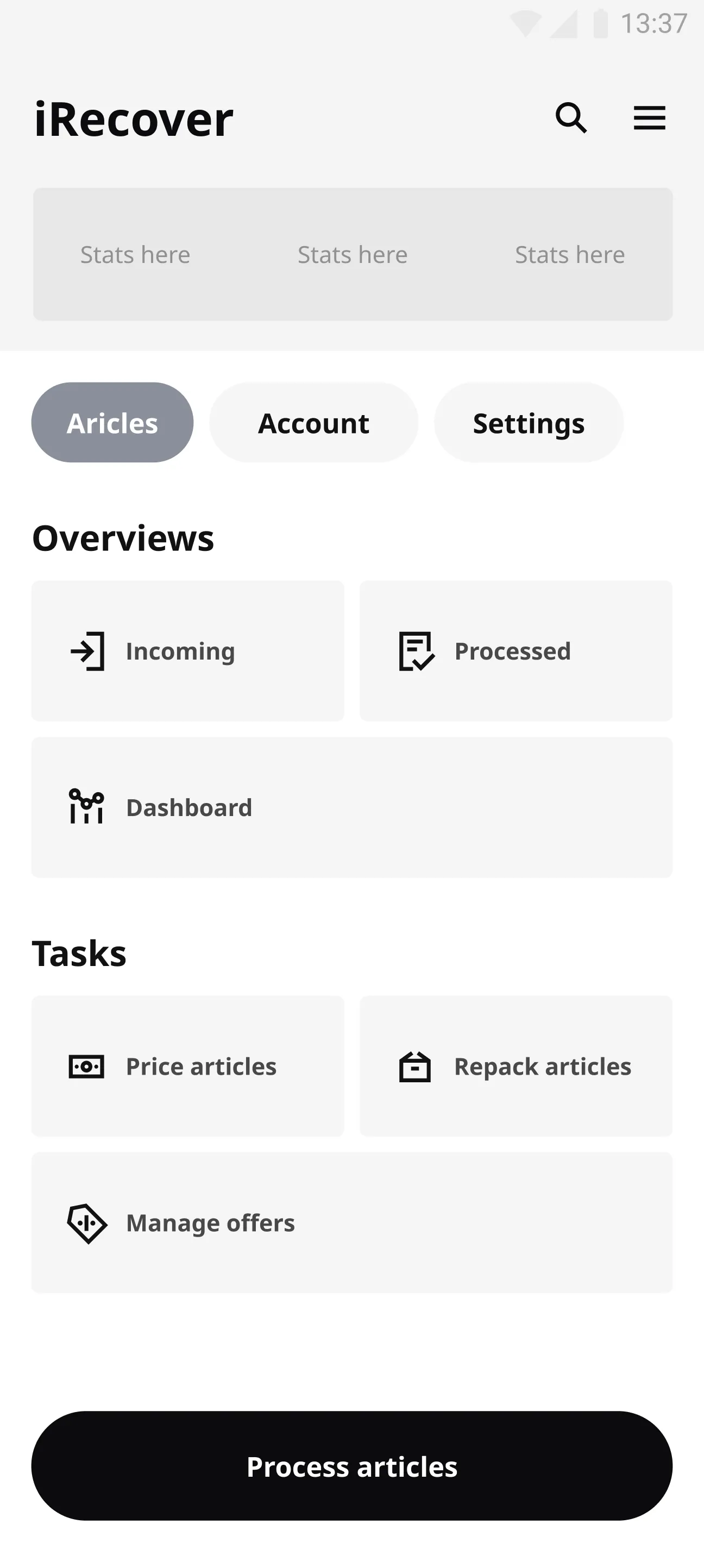
To improve efficiency, I redesigned the system into a single, unified list with filters, allowing co-workers to quickly sort by inflow type when needed.
Testing with Real Users
Before rolling out the redesigned interface, I knew I had to validate my UX design decisions with the people who would actually use it. I conducted user research with recovery teams across IKEA stores in the Netherlands, United States, Sweden, Belgium, and the UK. The feedback was incredible—co-workers told me the new structure felt natural and intuitive, and they could complete tasks much faster than before. This validation gave me confidence that we were on the right track.
I am really enjoying iRecover. It has simplified our job massively and saves a lot of time in our daily flow. -Marie, Recovery co-worker, Denmark
This prototype offers a much better way to navigate between inflows. -Jenna, Recovery co-worker, US
This new structure is a massive improvement and saves a lot of back and forth in our flow. -Christian, Recovery co-worker, UK
Insights dashboard
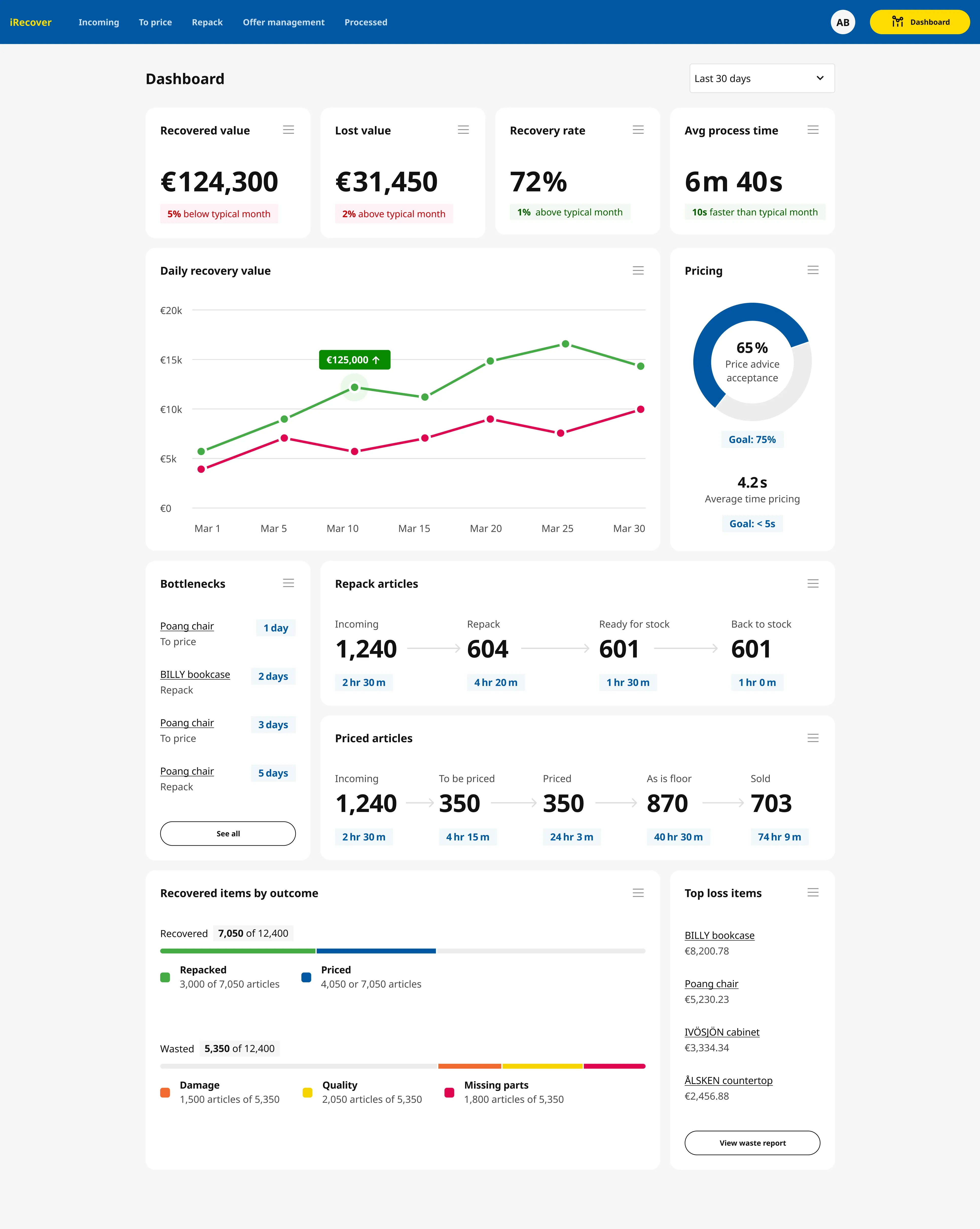
I designed the insights dashboard to show not only how recovery teams are performing, but also how effectively iRecover supports their work. The dashboard highlights recovered and lost value, recovery rate, and processing speed, benchmarked against a typical month to surface meaningful trends.
By connecting operational outcomes with metrics like price advice acceptance and average pricing time, managers can see where value is recovered, where losses occur, and how product decisions directly impact efficiency and financial results.
Price advice
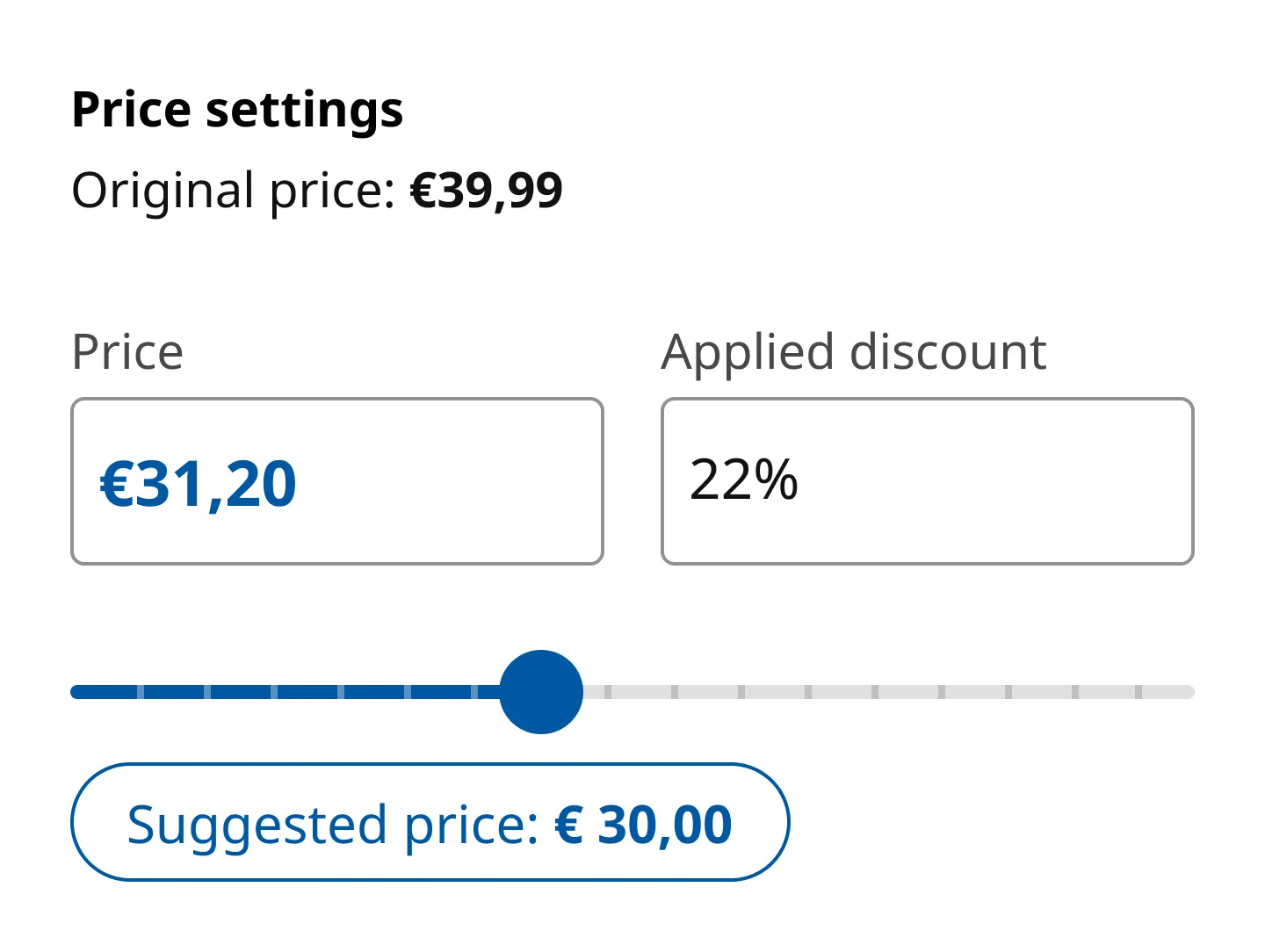
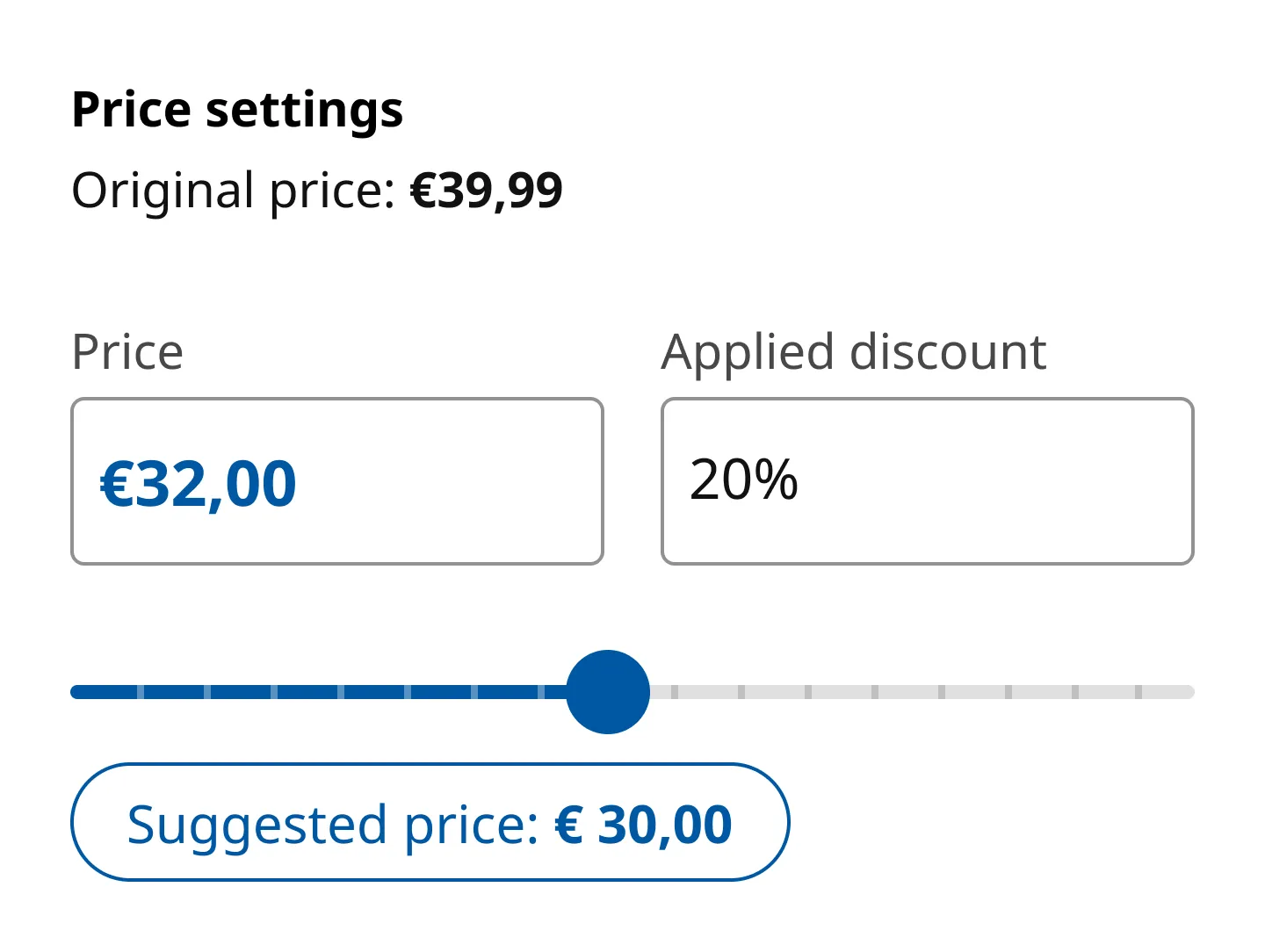
Pricing in iRecover is highly nuanced and deeply local. Experienced recovery co-workers rely on years of intuition to set prices that ensure items sell on the As Is floor in about three days — the sweet spot between “too cheap” and “too expensive.”
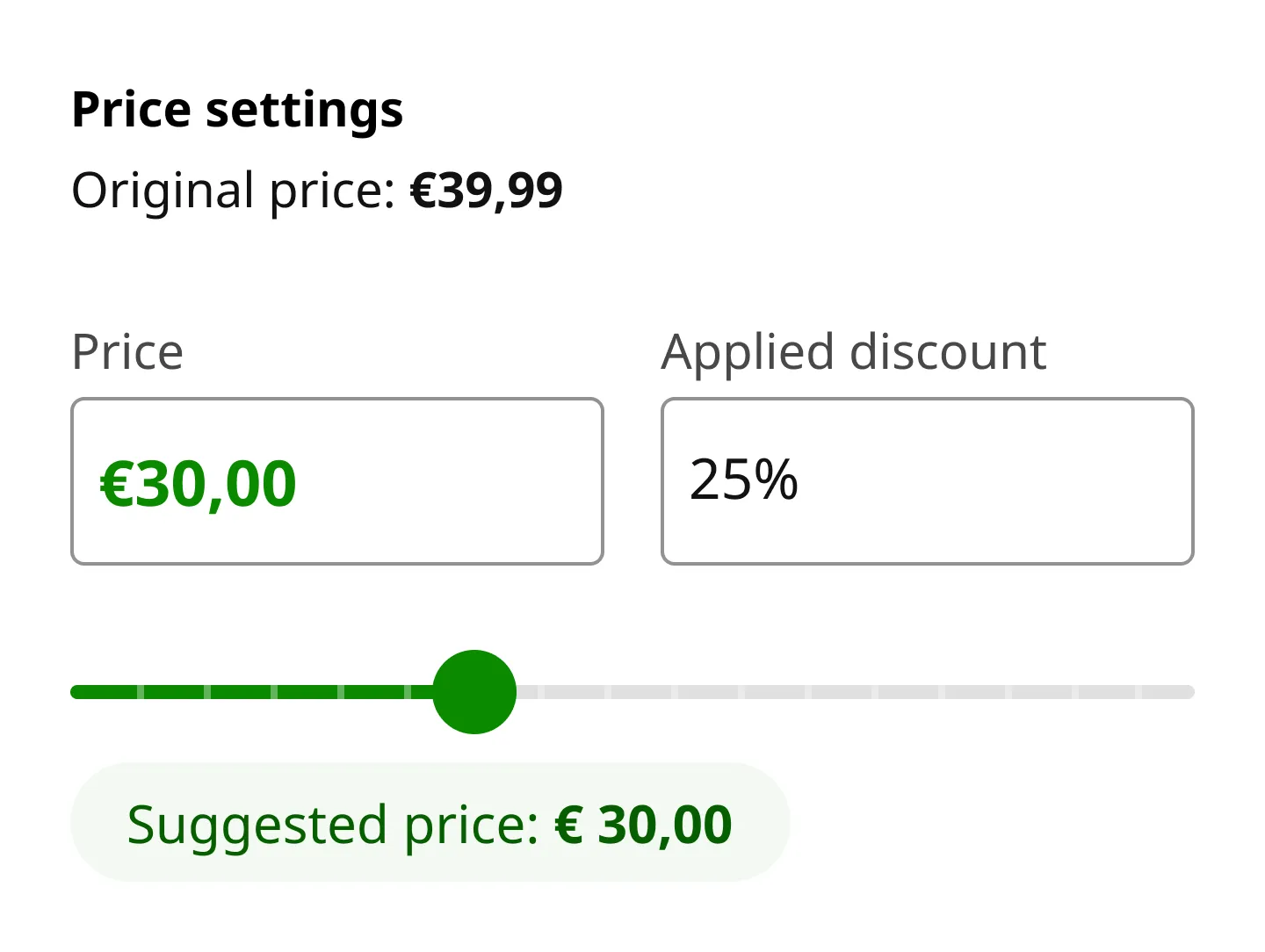
Price Advice was designed to support this decision-making by suggesting an optimal price, reducing time spent on the pricing screen and lowering cognitive load for less experienced co-workers.
One key limitation was that the pricing model did not yet account for store-level localization. Pricing expectations vary widely between regions and cities, making a single “correct” price impossible.
To address this, stores adopted a simple guideline: accept Price Advice by default, except for higher-value items where localized judgment was worth the extra time. Our team consistently reinforced this behavior with recovery managers until more localized data could be introduced.
Streamlining the Repacking Process
One of the biggest challenges I identified was the lack of visibility into the repacking process. Items would disappear into a black hole after being assessed, and co-workers had no way to track their status. I designed a new feature that gives teams real-time visibility into which items need repacking, how long they've been waiting, and their current status. This mobile app design improvement transformed how our recovery teams managed their workflow—no more guessing games or lost items.
Integrating Bundle Pricing Features
During my user research, I discovered that co-workers frequently needed to bundle imperfect items together for discounted sales, but this required switching to a completely separate application. This context switching was killing productivity. I integrated bundle pricing functionality directly into iRecover, so teams could create and manage discounted bundles without leaving the app. This product design decision eliminated unnecessary steps and made the entire recovery process much more efficient.
Impact and Results
Looking back on this project, I'm incredibly proud of what we accomplished. iRecover is now deployed in every IKEA store worldwide and has become an indispensable tool for recovery teams. The app has enabled co-workers to process millions of dollars in discount labels, but more importantly, it's given IKEA unprecedented visibility into their returns process. We can now track sustainability efforts, recovered revenue, and waste reduction in real-time—data that's helping shape IKEA's broader environmental strategy. As a product designer, there's nothing more rewarding than seeing your work make a real difference in people's daily lives.